
VLLO - Video Editor Vlog Edits
Bearbeiten mit Effekt, Filter, Beschriftungen, Mosaik, Übergang, Text und Zeitlupe
Der offizielle Entwickler von VLLO - Video Editor Vlog Edits ist vimosoft, während LDPlayer lediglich den APK-Download-Service bereitstellt.

Spielinformationen

FAQ
Führe VLLO - Video Editor Vlog Edits auf dem PC mit LDPlayer aus
VLLO - Video Editor Vlog Edits ist eine Video-Players-Anwendung, die von vimosoft entwickelt wurde und auf mobilen Geräten ausgeführt werden kann, aber mit dem besten Android-Emulator - LDPlayer, können Sie VLLO - Video Editor Vlog Edits herunterladen und auf Ihrem Computer ausführen.
Beim Ausführen von VLLO - Video Editor Vlog Edits auf Ihrem Computer können Sie auf einem großen Bildschirm klar navigieren, und das Steuern von Anwendungen mit Maus und Tastatur ist viel schneller als das Berühren des Bildschirms, und Sie müssen sich nie um die Leistung Ihres Geräts sorgen.
Dank der Multi-Instanz- und Synchronisationsfunktionen können Sie auch mehrere Apps und Konten auf Ihrem Computer ausführen.
Die Funktion zum Übertragen von Dateien zwischen dem Emulator und dem Computer erleichtert auch das Teilen von Fotos, Videos und Dateien.
Laden Sie VLLO - Video Editor Vlog Edits jetzt herunter und führen Sie es auf Ihrem Computer aus und genießen Sie den großen Bildschirm und die hohe Bildqualität für die PC-Version!
#Simple Yet ProfessionalVLLO is a powerful video editor trusted by 40 million creators worldwide - perfect for both beginners and pros! Whether you're making your first vlog or creating content for YouTube, Instagram, or TikTok, VLLO's intuitive interface makes video editing feel natural and fun.
Beginners love how super simple it is to trim videos, add text, apply transitions, use templates, and add music with just a few taps. And when you're ready to dive deeper, advanced features like auto caption, PIP, AI tracking, and professional keyframe animations are waiting for you.
#All-in-one Editing
NO WATERMARK
• Create unlimited videos without any watermarks
• No payment required
POWERFUL AI TOOLS
• Auto Caption: Generate perfectly synced captions in one tap, available in multiple languages
• AI Face-Tracking: Make stickers, texts and blur to follow faces automatically
TRENDY TEMPLATES & GRAPHICS
• Decorate your videos with regularly updated trending templates
• Create and share your own templates
• Stickers, Frames, and Text Labels: 8000+ aesthetic, high quality assets
FILTERS, EFFECTS & TRANSITIONS
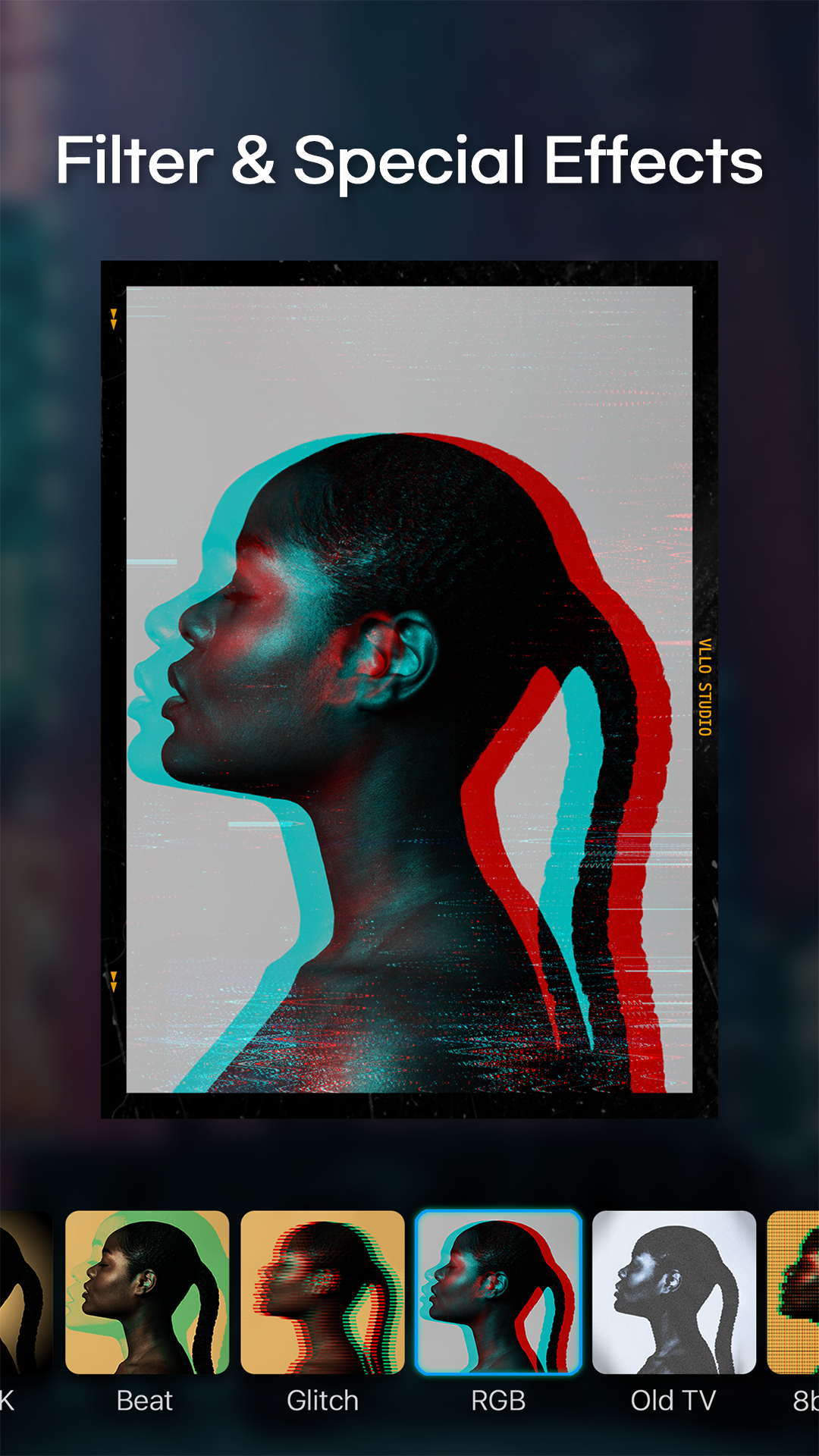
• Filters & Color Grading: Enjoy plenty of cinematic filters and professional color grading options like brightness, contrast, hue/saturation and shadows.
• Effects: Instantly elevate your videos with effects like glitch, retro, and zoom
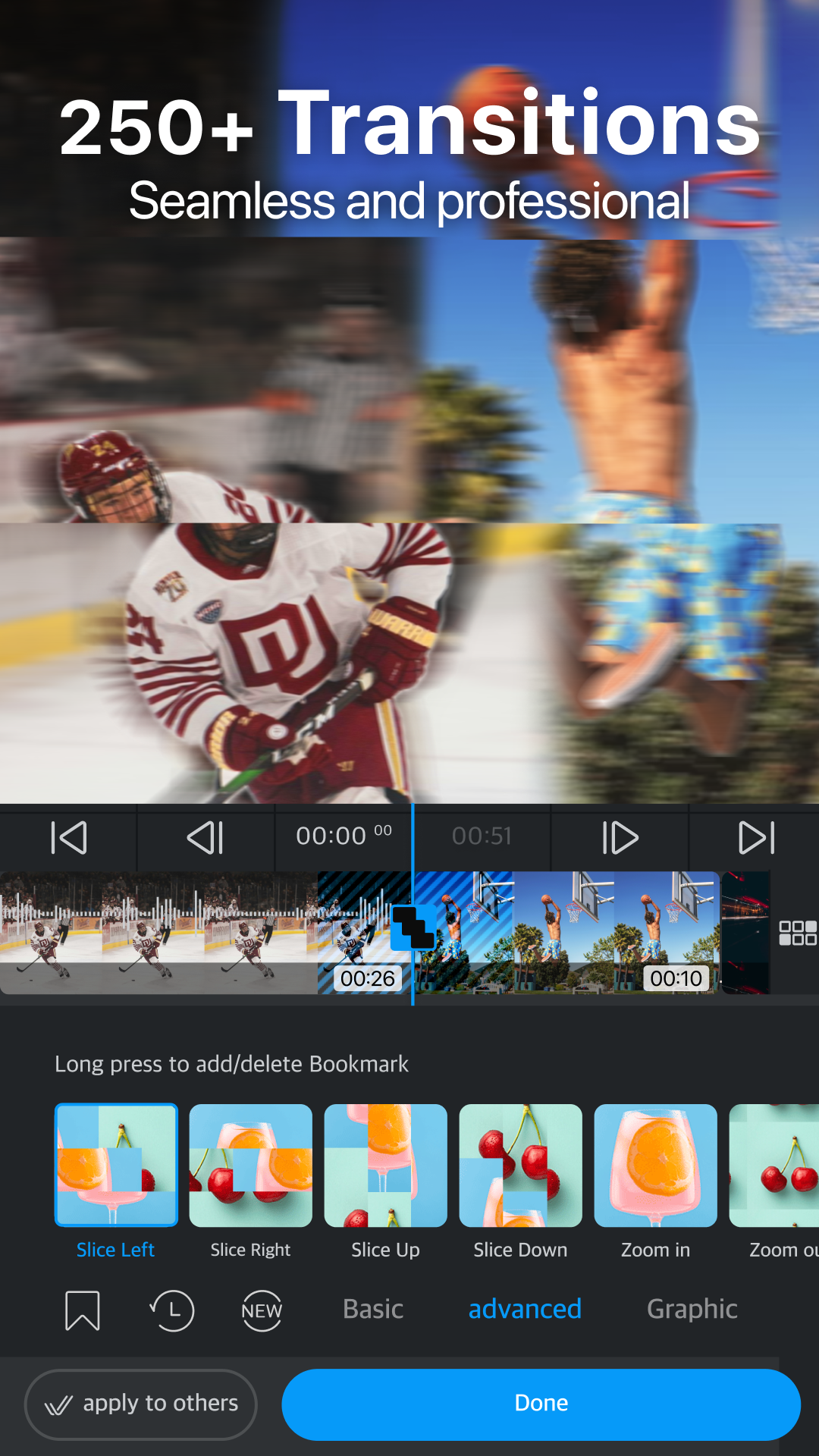
• Transitions: Create smooth flows from classic dissolve, swipes and rotates to trendy graphic animations
MUSIC & AUDIO
• Massive Audio Library : 1800+ copyright-free musics and sound effects, and you may also import your own music
• Sound Effects: 700+ sound effects to make your audio dynamic
• Audio Effects: Enhance your sound with fade in/out, pitch control, voice changing effects
• Voice Over: Record instantly with a single tap
• Audio Extract: Extract audio and musics from videos
ADVANCED VISUAL EFFECTS
• Chroma-key: Remove specific colors or background with just one tap
• Blur & Mosaic: Create stylish blur effects
• Text Styling: Customize color, shadows, and outline for individual characters
• Multi-track Editing: Layer videos, images and GIFs (PIP) and arrange them easily
ADVANCED MOTION CONTROL
• Keyframe: Create custom motion effects for all media
• Speed Control: Adjust video with speed and reverse
• Animation: Animate videos, texts and stickers with various effects and duration
EASY & INTUITIVE EDITING:
• Easy Cut Editing with trim, split, speed, reverse, rearrangements
• Convenient editing with automatic saving and unlimited redo/undo
• Precise editing with smart grid and magnetic settings
• Multiple video ratios for all platforms
• Easy-to-follow and helpful tutorials to get you started
HIGH QUALITY EXPORT & QUICK SHARE
• Export videos in stunning 4K resolution
• Share directly to Youtube, Instagram, TikTok, WhatsApp, etc
Download VLLO now and let's start creating something amazing together!
VLLO Terms of Use : https://www.vllo.io/vllo-terms-of-use
If you have any problems or suggestions using our app, please contact us: cs@vimosoft.com
Screenshot und Video von VLLO - Video Editor Vlog Edits auf dem PC


Wie man VLLO - Video Editor Vlog Edits auf dem PC herunterlädt und ausführt
 1
1Laden Sie LDPlayer herunter und installieren Sie es auf Ihrem Computer
 2
2Suchen Sie den Play Store in LDPlayer System Apps, starten Sie ihn und melden Sie sich bei Ihrem Google-Konto an
 3
3Geben Sie „VLLO - Video Editor Vlog Edits“ in die Suchleiste ein und suchen Sie danach
 4
4Wählen Sie VLLO - Video Editor Vlog Edits aus den Suchergebnissen und installieren Sie es
 5
5Sobald der Download und die Installation abgeschlossen sind, kehren Sie zum Startbildschirm von LDPlayer zurück
 6
6Klicken Sie auf dem LDPlayer-Startbildschirm auf das Spielsymbol, um das spannende Spiel zu genießen


