Startseite/

Spiele/

Musik/

Harmonica Real

Harmonica Real
5.05+

Harmonica Real

Wirklich echter Mundharmonikaklang. Spielen Sie Musik.

Auf dem PC mit LDPlayer spielen
recommend
sonOS
So laden Sie Harmonica Real auf Ihren Computer herunter
Zuletzt aktualisiert: 2026-03-14
com.sonoscore.harmonica
Aktie:
  • Spielinformationen

  • FAQ

LDPlayer verwenden, um Harmonica Real auf PC zu spielen

Harmonica Real ist eine Musik-Anwendung, die von sonOS entwickelt wurde und auf mobilen Geräten ausgeführt werden kann, aber mit dem besten Android-Emulator - LDPlayer, können Sie Harmonica Real herunterladen und auf Ihrem Computer ausführen.

Beim Ausführen von Harmonica Real auf Ihrem Computer können Sie auf einem großen Bildschirm klar navigieren, und das Steuern von Anwendungen mit Maus und Tastatur ist viel schneller als das Berühren des Bildschirms, und Sie müssen sich nie um die Leistung Ihres Geräts sorgen.

Dank der Multi-Instanz- und Synchronisationsfunktionen können Sie auch mehrere Apps und Konten auf Ihrem Computer ausführen.

Die Funktion zum Übertragen von Dateien zwischen dem Emulator und dem Computer erleichtert auch das Teilen von Fotos, Videos und Dateien.

Laden Sie Harmonica Real jetzt herunter und führen Sie es auf Ihrem Computer aus und genießen Sie den großen Bildschirm und die hohe Bildqualität für die PC-Version!

The harmonica, also known as a French harp or mouth organ, is a free reed wind instrument used worldwide in many musical genres, notably in blues, American folk music, classical music, jazz, country, and rock. The many types of harmonica include diatonic, chromatic, tremolo, octave, orchestral, and bass versions. A harmonica is played by using the mouth (lips and tongue) to direct air into or out of one (or more) holes along a mouthpiece. Behind each hole is a chamber containing at least one reed. The most common is the diatonic Richter-tuned with ten air passages and twenty reeds, often called the blues harp. A harmonica reed is a flat, elongated spring typically made of brass, stainless steel, or bronze, which is secured at one end over a slot that serves as an airway. When the free end is made to vibrate by the player's air, it alternately blocks and unblocks the airway to produce sound.

Reeds are tuned to individual pitches. Tuning may involve changing a reed's length, the weight near its free end, or the stiffness near its fixed end. Longer, heavier, and springier reeds produce deeper, lower sounds; shorter, lighter, and stiffer reeds make higher-pitched sounds. If, as on most modern harmonicas, a reed is affixed above or below its slot rather than in the plane of the slot, it responds more easily to air flowing in the direction that initially would push it into the slot, i.e., as a closing reed. This difference in response to air direction makes it possible to include both a blow reed and a draw reed in the same air chamber and to play them separately without relying on flaps of plastic or leather (valves, wind-savers) to block the nonplaying reed.

An important technique in performance is bending, causing a drop in pitch by making embouchure adjustments. Bending isolated reeds is possible, as on chromatic and other harmonica models with wind-savers, but also to both lower, and raise (overbend, overblow, overdraw) the pitch produced by pairs of reeds in the same chamber, as on a diatonic or other unvalved harmonica. Such two-reed pitch changes actually involve sound production by the normally silent reed, the opening reed (for instance, the blow reed while the player is drawing).
(https://en.wikipedia.org/wiki/Harmonica)

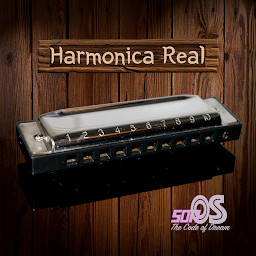
The Harmonica Real is Diatonic Harmonica musical instrument simulation app.

More offline and online songs for practice (With the ability to change speed, transpose, reverb).

Play with 2 modes:
- Normal
- RealTime

You can choose autoplay for listening songs.

Create Music Sheet feature: You can create, save, open your music sheet with 2 instruments: Harmonica and Piano. Export it for playing or sharing to everyone.

Record feature: record, play back and share to your friends.
Reverb feature.

** Songs is updated regularly
Ausklappen

Screenshot und Video von Harmonica Real auf dem PC

Laden Sie Harmonica Real herunter und führen Sie es mit LDPlayer auf Ihrem Computer aus, genießen Sie den Vorteil eines breiteren Blickfeldes, die schärfste Bildqualität des Spiels und aufregende Kampffähigkeiten und Effekte. Das perfekte und ultimative Spielerlebnis, alles in LDPlayer.

Warum LDPlayer verwenden, um Harmonica Real auf PC zu spielen?

LDPlayer einzigartige Funktionen für Spieler, einschließlich Unterstützung für Multi-Instanzen, Makros, Synchronisation, Fernsteuerung und andere Funktionen, die auf Mobilgeräten nicht verfügbar sind.

Multiinstanz & Sync

Fernbedienung

Zollkontrolle

Multiinstanz & SyncFernbedienungZollkontrolle

Sie können ganz einfach mehrere Instanzen klonen und mit der Synchronisierung beginnen, bis Sie das gewünschte Element erhalten, bevor Sie Ihr Konto verknüpfen, was die Effizienz bei Reroll-Vorgängen in Harmonica Real erhöht.

  • Dank der hohen FPS-Unterstützung sind die Grafiken von Harmonica Real-Spielen flüssiger und die Aktionen flüssiger, was das visuelle Erlebnis und das Eintauchen in das Harmonica Real-Spiel verbessert.
  • Videorecorder

    Erfassen Sie ganz einfach Ihre Leistung und Ihr Gameplay in Harmonica Real und helfen Sie dabei, Fahrtechniken zu erlernen und zu verbessern, oder teilen Sie Spielerlebnisse und Erfolge mit anderen Spielern.

So laden Sie Harmonica Real auf Ihren Computer herunter

  • 1

    Laden Sie LDPlayer herunter und installieren Sie es auf Ihrem Computer

  • 2

    Suchen Sie den Play Store in LDPlayer System Apps, starten Sie ihn und melden Sie sich bei Ihrem Google-Konto an

  • 3

    Geben Sie „Harmonica Real“ in die Suchleiste ein und suchen Sie danach

  • 4

    Wählen Sie Harmonica Real aus den Suchergebnissen und installieren Sie es

  • 5

    Sobald der Download und die Installation abgeschlossen sind, kehren Sie zum Startbildschirm von LDPlayer zurück

  • 6

    Klicken Sie auf dem LDPlayer-Startbildschirm auf das Spielsymbol, um das spannende Spiel zu genießen

Mehr von sonOS